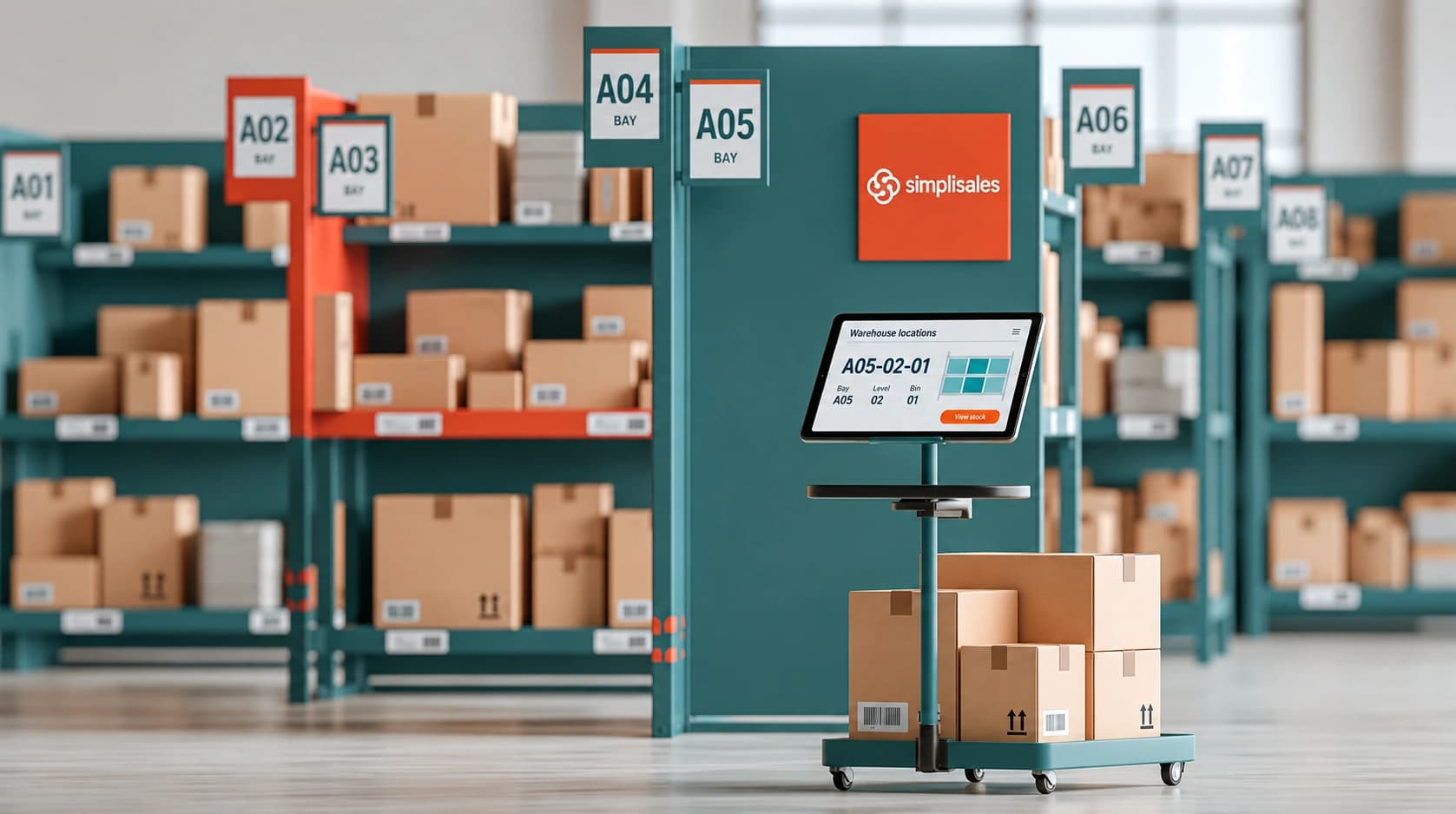

Why warehouse location codes matter
A warehouse operative receives a picking list for twelve products. The stock is available, but the instructions only say “aisle three” and “back shelf”. There are several aisles numbered three, multiple shelves at different heights and no clear distinction between reserve stock and picking stock.
The operative spends ten minutes searching. Multiply that by twenty orders and the cost becomes significant.
For wholesalers, a warehouse location code is more than a label on a shelf. It is a shared language between inventory software, warehouse staff, sales teams and fulfilment processes. When every location follows the same structure, people can understand where stock is stored without relying on personal knowledge.
Clear codes can help you:
- reduce picking and replenishment time;
- train new warehouse staff more quickly;
- improve stock counts and cycle counts;
- separate receiving, storage, picking and dispatch areas;
- manage stock across more than one warehouse;
- make warehouse order fulfilment software more useful in daily operations.
The goal is not to create the most complicated code. It is to create code that is predictable, readable and difficult to misunderstand.
What should a warehouse location code tell you?
A good code should help someone answer a simple question: “Where exactly is this stock?”
Most wholesale warehouses need some combination of the following information:
| Code element | What it identifies | Example |
| Warehouse | The physical site | W01 |
| Zone | The type or area of stock | DR for dry goods |
| Aisle | The aisle number | A03 |
| Bay | The section within an aisle | B12 |
| Level | The shelf or vertical level | L02 |
| Position | The exact bin or position | P04 |
A complete location could look like this:
W01-DR-A03-B12-L02-P04
This tells the operative that the stock is in warehouse 01, in the dry goods zone, aisle 03, bay 12, level 02 and position 04.
Not every business needs all six elements. A small warehouse might only need W01-A03-S04. A larger site may need zones, temperature areas, pallet positions, cages or secure storage. The correct level of detail depends on the physical layout and the number of products handled.
How to design a practical bin and aisle naming system
Start by mapping the physical warehouse before creating codes in your warehouse management software for wholesalers. Walk through the site and identify the areas that already exist or need to be created.
Common areas include receiving, bulk storage, picking shelves, chilled or temperature-controlled storage, returns, damaged stock, quarantine and dispatch staging.
Each area should have a clear purpose. For example:
- RCV for receiving;
- BLK for bulk storage;
- PCK for picking locations;
- QTN for quarantine;
- RTN for returns;
- DSP for dispatch.
Use consistent formatting. If one aisle is written as A3, another as A-03, and a third as AISLE 3, warehouse teams and software users are more likely to make mistakes. A fixed-width format such as A03 is easier to scan and sort.
Avoid characters that are easily confused. The letters O and I can look like the numbers 0 and 1, particularly on printed labels or handheld devices. Codes should also be short enough to read while standing in the warehouse.
One important rule is to avoid placing product names, customer names or prices inside the location code. Products move. Customers change. Prices change frequently. A code should describe the physical place, not the stock currently stored there.
A location might contain coffee today and cleaning products next month. The location code should remain the same.
Warehouse location code examples
The difference between a useful and weak system is often visible in the code itself.
| Weak code | Stronger code | Why it works better |
| Back shelf | W01-PCK-A03-B04-L02 | Identifies the exact physical position |
| John’s area | W01-BLK-A07-B02 | Does not depend on one employee |
| Cold 1 | W01-CHL-A01-B03-L01 | Includes warehouse and structured position |
| New aisle | W01-PCK-A05-B01 | Remains useful after the aisle is fully operational |
| Shelf 4 | W02-PCK-A04-B06-L02 | Works across multiple warehouses |
A wholesaler operating from Leeds and Bristol could use the same internal structure at both locations:
- Leeds: W01-PCK-A03-B12-L02-P04
- Bristol: W02-PCK-A03-B12-L02-P04
The shared aisle and bay pattern makes staff training easier, while the warehouse prefix keeps every location unique.
You should also decide how to represent temporary or non-standard locations. Goods waiting for quality checks should not look like available picking stock. Returns should not be mixed with saleable inventory. A clearly named location such as W01-QTN-A01-B01 makes the difference visible in both the warehouse and the system.
Managing codes across multiple warehouses
Multi warehouse inventory management software becomes more effective when every warehouse follows a common naming policy.
Each site can have its own warehouse prefix, but the structure should remain familiar. For example, every location might use:
Warehouse-Zone-Aisle-Bay-Level-Position
This allows a warehouse operative, customer service employee or purchasing manager to understand stock locations without learning a different system for every site.
It is also useful to separate storage locations from operational staging areas. Receiving and dispatch locations are part of the movement process, but they are not permanent storage. If goods sit in a dispatch area for too long, the system should make that visible.
In the Simplisales Dashboard, wholesalers can organise storage locations under warehouses, assign products to locations and review stock history. Stock can also be moved between storage locations or transferred between warehouses. This supports a location structure that mirrors the physical operation.
The software does not replace the naming policy. Your team still needs to decide what PCK, BLK or QTN means. Once the policy is agreed, the system can make it easier to apply consistently and trace changes over time.
Warehouse location code checklist
Before finalising your warehouse location system, check that:
- every physical location has one unique code;
- the same structure is used across all warehouses;
- warehouse, zone, aisle and bay names follow fixed formats;
- receiving, returns, quarantine and dispatch areas are separate;
- codes do not depend on product names or customer names;
- confusing characters such as O, I and 0 are avoided;
- labels can be read from the normal working position;
- there is room for future aisles, bays and storage levels;
- product and stock movements can be traced;
- warehouse staff have tested the codes during real picking tasks.
Start with one section of the warehouse and test the system with the people who use it every day. A code that looks logical in a spreadsheet may be awkward to read while carrying a case or operating a trolley.
Related Blogs
Explore more insights for your wholesale business.

Logistics · 11 SEPT 2026
Food Distribution Software and Batch Traceability: What Must Stay Connected
Why batch traceability depends on connected records Imagine that a supplier tells you that a batch […]
Logistics · 14 FEB 2026
Why Spreadsheet-Based Inventory Management Breaks at Scale
You might perceive spreadsheets as the simplest tool for inventory control if you are a growing wholesaler, distributor, or operations manager, but once orders skyrocket and items spread across multiple warehouses, while real-time accuracy becomes critical, they instead turn into a bottleneck rather than a solution. This article begins with a discussion of why spreadsheet-based […]
Logistics · 13 JAN 2026
Why Manual Forecasting Fails in Wholesale
Manual forecasting in wholesale relies heavily on spreadsheets, past sales and gut feeling, which once worked in stable markets but now struggle to cope with today’s complex, fast-moving demand patterns. As product ranges grow, customer behaviour shifts and external factors disrupt supply chains, spreadsheet forecasts become backwards-looking guesses that lead to overstocking, stockouts, tied-up cash […]
Run your business,
without the complexity
Start free · Try paid plans for 30 days.
