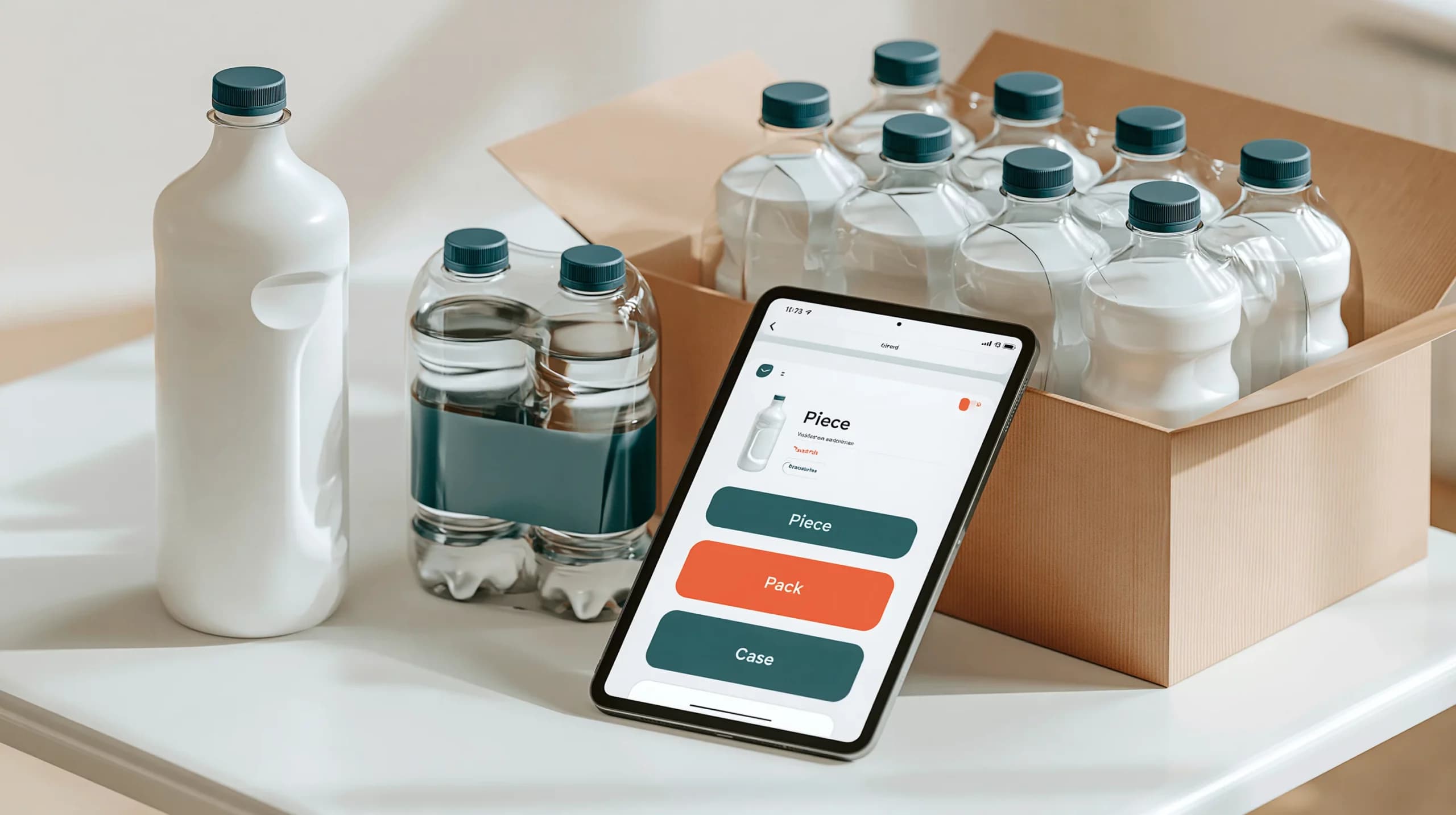

Why digital catalogues are more than online product lists
A buyer opens a wholesale catalogue and finds three versions of the same product. One is sold by the piece, one by the pack and one by the case. The product names look similar, but the prices and minimum quantities are different.
The buyer is unsure which option to order. The warehouse receives an order for the wrong unit. Customer service then has to call the buyer to confirm what was intended.
This is why a digital wholesale catalogue needs more structure than a simple list of products. It must explain what is available, how it is sold, who can order it and which quantity rules apply.
For wholesalers, a good digital catalogue brings together product information, buyer-specific assortments, pack sizes, units, stock visibility and ordering channels.
Catalogue, price list and product unit: different roles
The first step is to separate the functions that are often mixed together.
| Element | What it controls | Example |
| Catalogue | Which products the buyer can see | Catering range only |
| Product unit | How the product is sold | Piece, pack, box or pallet |
| Price list | What the buyer pays | Customer case price |
| Quantity rule | How much can be ordered | Minimum 2 boxes |
| Stock rule | What happens when stock is low | Prevent orders when unavailable |
| Ordering channel | Where the unit can be sold | Website, app or sales representative |
A catalogue decides whether a buyer can see a product. A price list decides the product’s price. The unit explains whether the buyer is ordering one piece, one pack or one case.
Keeping these layers separate prevents catalogue maintenance from becoming a collection of exceptions.
Managing pack sizes and selling units
Wholesale products are rarely sold in one universal unit. A food distributor may sell a product by the piece to one buyer, by the box to another and by the pallet to a large account.
The system needs to understand the relationship between those units.
For example:
1 BOX = 24 PCS
This relationship allows the business to show the correct selling unit to the buyer while keeping stock quantities connected. If a customer orders three boxes, the inventory record can account for the equivalent quantity of pieces.
A digital catalogue should clearly display:
- the unit name;
- the number of base units included;
- the price for that unit;
- the minimum order quantity;
- the permitted order increment;
- the net amount and measurement where relevant;
- whether automatic unit breakdown is allowed;
- whether the unit is available on the website, app or sales-rep channel.
The same logic applies to measured products. A unit may represent 6.5 kilograms, 10 litres or another defined quantity. The description should make this understandable without requiring the customer to contact the sales team.
Quantity settings are equally important. If a product can only be sold in full boxes, the buyer should not be able to enter 13 individual pieces by mistake. A minimum order of one box and an increment of one box makes the rule visible at the point of ordering.
Stock behaviour should also be defined. Some businesses allow backorders when a unit is temporarily unavailable. Others prevent orders once stock reaches a particular threshold. These choices should be reflected consistently across the catalogue and ordering channels.
Creating buyer-specific assortments
Not every buyer needs access to every product.
A restaurant group may need catering packs and high-volume units. An independent retailer may need smaller packs and point-of-sale products. A specialist buyer may only order a particular brand or category.
Buyer-specific catalogues help wholesalers show a relevant assortment instead of forcing every customer to search through the entire product range.
A buyer-specific assortment can be based on:
- customer type;
- location;
- sales territory;
- brand or product category;
- seasonal availability;
- minimum order requirements;
- warehouse or fulfilment location;
- negotiated commercial agreements.
For example, an independent shop might see 180 products, while a hospitality group sees 260 products with different pack sizes. Both customers can use the same digital platform, but their product experience reflects the way they actually buy.
A catalogue should also support product status changes. Seasonal items, discontinued products, restricted products and temporarily unavailable items need clear visibility rules. Hiding a product may be appropriate in some cases, while showing it as unavailable may be better in others.
The decision should be based on the customer journey. If a buyer regularly reorders an item, removing it without explanation can create confusion. A message such as “temporarily unavailable” may be more useful than making the item disappear.
A practical digital catalogue example
Consider a wholesaler selling beverages to three customer groups:
| Customer | Catalogue | Unit shown | Ordering rule |
| Independent retailer | Retail selection | Case of 12 | Minimum 1 case |
| Café group | Catering selection | Case of 24 | Minimum 2 cases |
| Event supplier | High-volume range | Pallet | Full pallet only |
The underlying product records can remain connected, but each buyer receives the assortment and selling unit that makes sense for their operation.
In the Simplisales Dashboard, wholesalers can manage product units, catalogue assignments, stock settings and customer-level ordering information. Product units can be configured for different channels, including ecommerce, sales representatives and telesales.
The Simplisales Website gives buyers a branded online ordering route, while the Simplisales App supports customers and sales representatives who need to order away from a desktop.
The benefit is not simply a more attractive catalogue. It is a more accurate connection between what the buyer sees, what they order and what the warehouse fulfils.
Digital catalogue implementation checklist
Before publishing a catalogue, check that:
- every product has a clear name, image and SKU;
- pack sizes and units are easy to understand;
- unit relationships are defined accurately;
- prices belong to the correct unit;
- minimum quantities and increments are configured;
- unavailable and discontinued products have a clear status;
- buyer-specific catalogues have been tested;
- the same rules work on the website and app;
- sales representatives see the same product information;
- stock and backorder behaviour is understood by customer service;
- repeat ordering uses the correct unit and price.
Ask someone unfamiliar with the product range to place a test order. If they cannot tell the difference between a pack, case and piece, the catalogue needs clearer information.
Related Blogs
Explore more insights for your wholesale business.

Operations · 04 SEPT 2026
Distributor Ordering Systems: Supporting Branches, Buyers and Account-Specific Pricing
Why distributor ordering is different A distributor may have one customer account with five branches, twenty buyers and several delivery addresses. […]

Operations · 31 AUG 2026
B2B Order Management Systems: Which Statuses, Approvals and Rules Do You Need?
Why B2B order management needs more than an order list At 8.30 on a Monday morning, a wholesaler’s […]

Operations · 02 MAR 2026
Scaling B2B Operations Without Increasing Headcount
Accomplishing this is possible by having smart workflows and connected systems be the drivers of growth rather than having more people being added to the processes that are already considered inefficient. With the increase in the number of orders comes the rise of things such as data entry, stock movements, customer queries, and reconciliations, which […]
Run your business,
without the complexity
Start free · Try paid plans for 30 days.
