
Why one B2B customer does not always mean one price
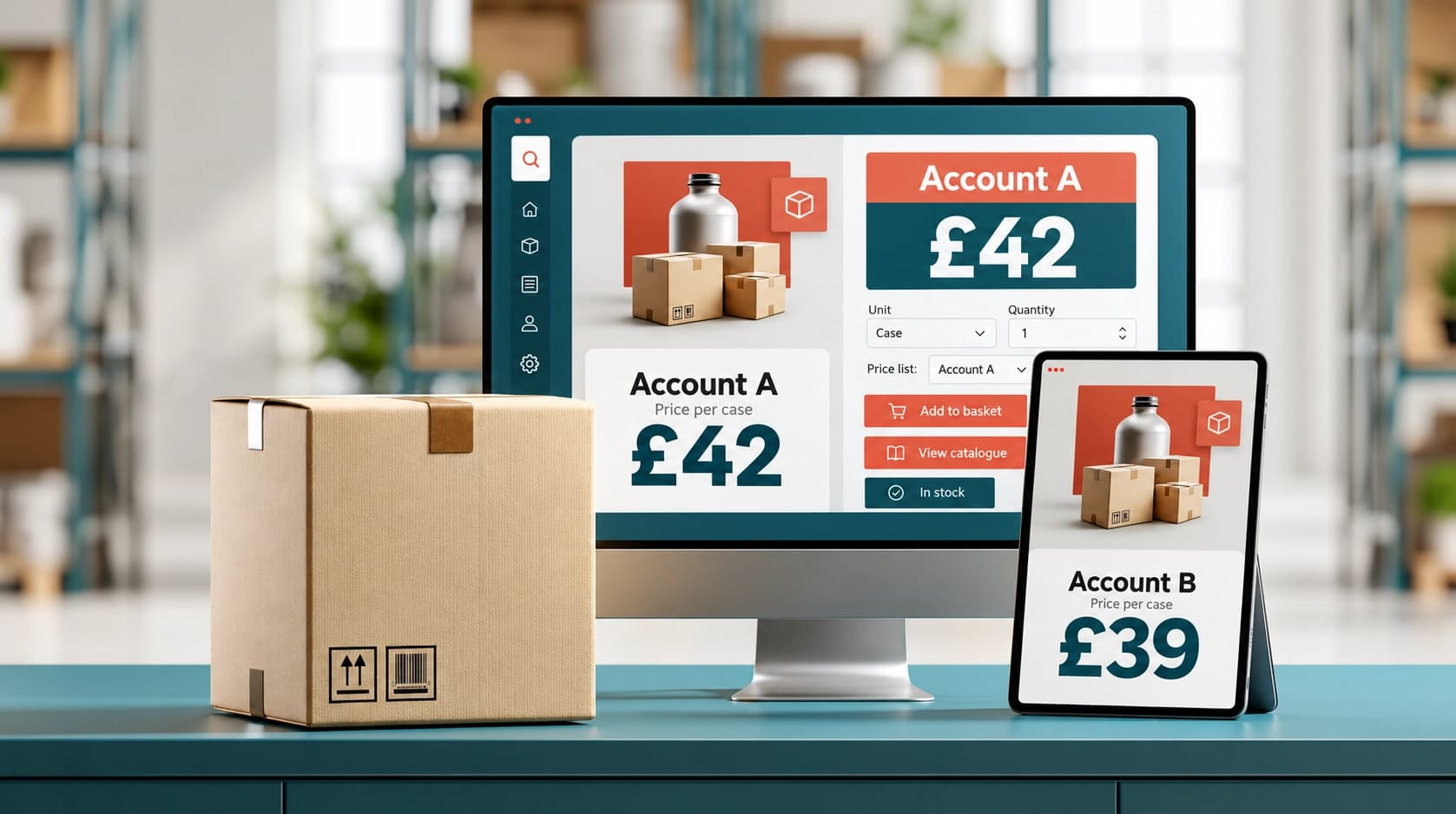
A buyer logs into a wholesale website and sees a case price of £42. Their colleague at another company sees £39 for the same product. A third customer cannot see the product at all.
That difference may be completely correct. Wholesale prices often depend on agreed account terms, order volume, customer type, territory, product assortment, currency, payment terms or sales channel.
The problem begins when the pricing logic is not controlled. A sales representative may have one spreadsheet, the website may show another price and the customer service team may rely on an old PDF price list. Even a small inconsistency can lead to margin loss, incorrect invoices and difficult conversations with customers.
Customer specific pricing ecommerce works best when each part of the commercial rule has a clear responsibility.
Catalogue, price list and discount: different jobs
A catalogue decides what a customer can see and order. A price list decides the normal price for those products. A discount changes the price under a specific rule or agreement.
These functions are connected, but they should not be treated as the same thing.
| Pricing component | Main purpose | Example |
| Customer catalogue | Controls product visibility and assortment | Customer sees catering products only |
| Price list | Sets the account’s standard prices | Case price is £39 |
| Quantity rule | Changes price based on volume | 10+ cases receive a lower price |
| Discount | Applies an agreed reduction | Seasonal 5% discount |
| Manual override | Handles an approved exception | One customer receives a special price |
| Unit rule | Defines how the product is sold | Minimum order is 1 case |
| Account settings | Controls commercial context | Currency, payment terms and warehouse |
A catalogue should not be used to store every possible price variation. Similarly, a price list should not be used to hide products that a customer should never order.
Keeping the roles separate makes the system easier to maintain and easier to explain to customers.
How pricing rules should be applied
Before a B2B pricing software platform calculates a final price, it should identify the customer account and its commercial settings.
A sensible pricing sequence is:
- Identify the customer company and contact.
- Load the customer’s assigned catalogue.
- Show only the products available to that account.
- Apply the correct currency and unit.
- Load the account’s default price list.
- Check quantity breaks or rule-based discounts.
- Apply approved account-level discounts.
- Check for a manual override.
- Display the final price and the reason for it.
The exact order can vary, but the business must define which rules take priority. The most common mistake is allowing discounts to stack unintentionally.
For example, a product may have a customer price, a ten-case quantity discount and a promotional discount. If all three apply automatically, the final price may fall below the intended margin.
Rules should therefore include clear precedence. You might decide that a manual override replaces all other discounts, while a promotional discount applies only when no customer-specific price exists.
The system should also make the calculation visible to authorised staff. Customer service teams do not necessarily need to show every internal margin detail to buyers, but they should be able to explain how the final price was produced.
A practical customer-specific pricing example
Imagine a wholesaler supplying three customer groups:
- independent retailers;
- regional buying groups;
- hospitality customers.
The wholesaler creates one general product catalogue, then assigns different customer catalogues where necessary.
An independent retailer sees 250 products and pays the standard wholesale price. A regional buying group sees 400 products and receives a negotiated price list. A hospitality customer sees a smaller range, with products sold only in catering cases.
The same product might be configured as follows:
| Customer group | Catalogue visibility | Standard case price | Quantity rule |
| Independent retailer | Core retail range | £42 | No automatic discount |
| Buying group | Core and promotional range | £39 | Lower price at 20+ cases |
| Hospitality customer | Catering range only | £44 | Sold in full cases |
This structure prevents the sales team from maintaining separate product records for every buyer. Product information remains central, while catalogue access and account pricing create the correct customer experience.
In the Simplisales Dashboard, wholesalers can create price lists, define product prices and rules, override selected prices and assign price lists to companies. Company settings can also include a default catalogue, currency, payment terms and warehouse.
The Simplisales Website and Simplisales App can then present the relevant products and prices through connected customer ordering channels.
What B2B pricing software should control
A strong pricing workflow should control more than the number shown beside a product.
It should also help your team manage:
- customer and company assignments;
- product and unit-level pricing;
- case, pack and piece prices;
- minimum and maximum quantities;
- quantity increments;
- currencies;
- price list activation and replacement;
- effective dates for promotions;
- manual overrides;
- approval responsibilities;
- price history and audit information;
- catalogue visibility;
- website, app and sales-rep consistency.
Wholesale price list software is particularly valuable when the number of customers, products and exceptions begins to grow. A spreadsheet can work for a small range, but it becomes difficult to audit when every account has different terms.
The most important question is not simply “Can the system create a price list?” It is “Can the team understand why this customer sees this price?”
Customer-specific pricing checklist
Before launching a pricing structure, confirm that:
- catalogues and price lists have separate purposes;
- every active customer has an assigned default price list;
- the correct currency and unit are displayed;
- quantity discounts have clear thresholds;
- discount stacking rules are documented;
- manual overrides require approval;
- customer-specific prices are tested on the website and app;
- sales representatives see the same prices as customers;
- inactive or suspended accounts cannot place unintended orders;
- price changes can be reviewed after publication.
Test the pricing rules with real account scenarios rather than only checking the product admin screen. Log in as a small retailer, a high-volume buyer and a customer with a special agreement. The customer experience is the final test.
Related Blogs
Explore more insights for your wholesale business.
Sales · 09 MAR 2026
Order Frequency vs Order Value: Which Metric Matters More in Wholesale?
In wholesale, the debate between order frequency and average order value often reveals a deeper truth: sustainable growth depends on balancing both metrics rather than prioritising one over the other. Larger orders can improve short-term revenue, reduce shipping costs and streamline fulfilment, but they may also lead to longer gaps between purchases and less predictable […]
Sales · 16 FEB 2026
From Purchase Orders to Stock Availability: Closing the Procurement Gap
Numerous B2B wholesalers have this high-cost gap, on which the purchase orders do not tally with the actual stocks, resulting in supply chain teams depending on the isolated data for decision-making, which in turn leads to delays, stockouts, excess safety stocks, and broken customer promises. Conventional purchasing methods mostly deal with the dispatch of orders, […]

Sales · 30 JAN 2026
Why Forecast Accuracy Is the New Competitive Advantage in Wholesale
Forecast accuracy has become a true competitive advantage in wholesale because even when nothing “goes wrong”, small mismatches between demand, stock and cash quickly turn into missed sales, excess inventory and internal pressure. Forecasting is no longer a back-office planning task but a front-line capability that directly affects cash flow, delivery reliability, sales confidence and […]
Run your business,
without the complexity
Start free · Try paid plans for 30 days.
