Wholesale Data Migration: Moving Products, Prices, Stock and Customers Safely
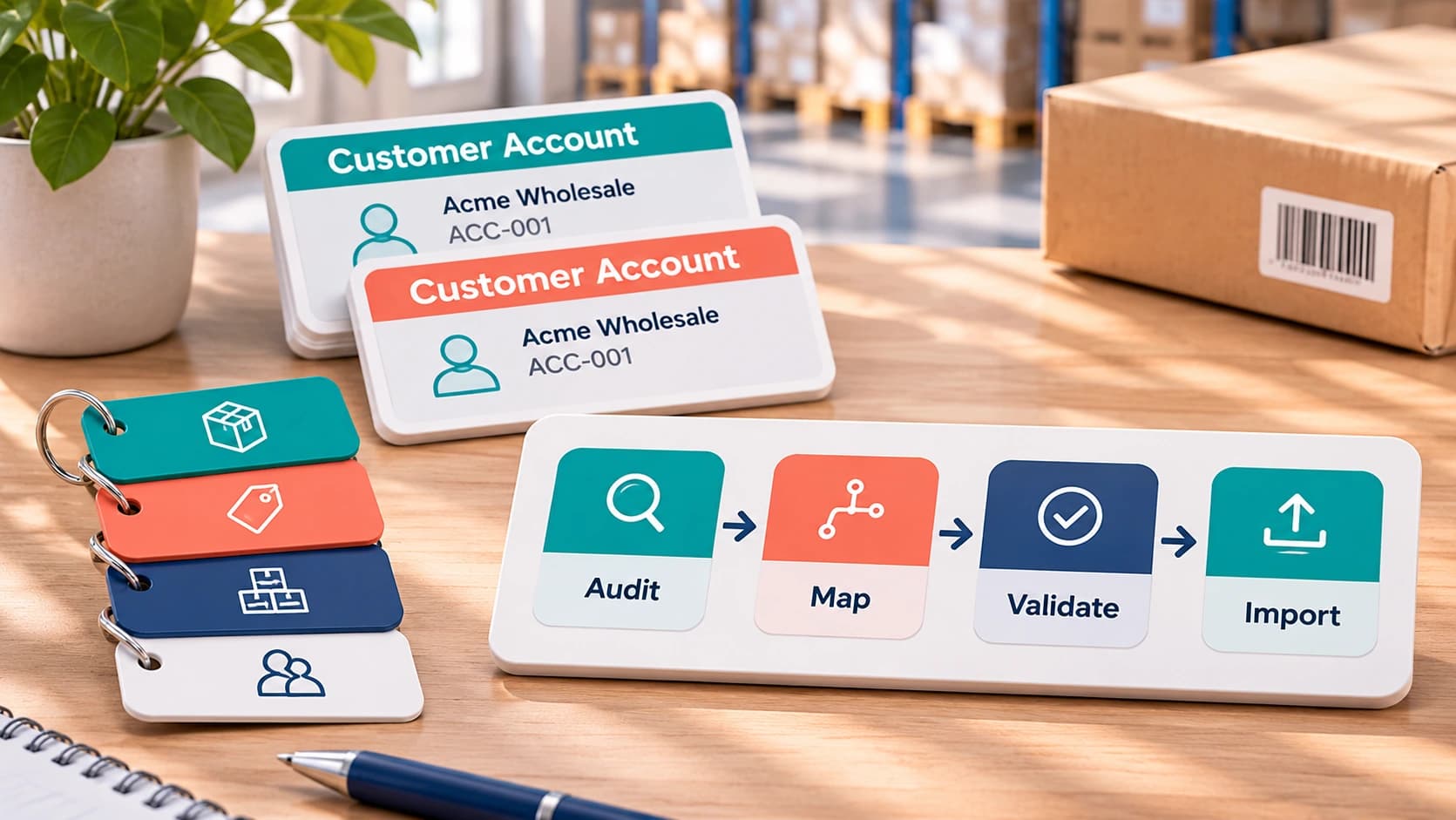

A wholesaler is finally deciding to replace its spreadsheets and disconnected software with a new wholesale management platform.
Put differently, the product catalogue is exported. The warehouse team has counted the stock. Customer records are ready.
Everything seems uncomplicated.
And then someone catches that two customers share the same account number. So, one customer has a special price that exists only in an old spreadsheet, to a significant degree. A few products are coded differently in accounting and the warehouse.
Throughout the day, the business is still ordering.
This is, indeed, where wholesale data migration becomes more complicated than uploading a CSV file.
Moving data is relatively easy. Moving it without losing customer pricing, copying entries or disrupting orders needs a controlled process in real-world scenarios.
The guide explains how to prepare, migrate, test and prove your wholesale data before switching to a new system.
Why Wholesale Data Migration Is Different
A representative ecommerce migration emphasises products, customers and order history.
Wholesalers have extra relationships to preserve.
Diverse customers may, in effect, receive distinct prices. In fact, across several warehouses, several selling units may (in practical terms) be held by one product, so stock may sit with quantities already reserved for existing orders in actual application.
Customer accounts may, in practice, also carry credit limits, payment terms, delivery restrictions and allocated sales representatives, in many respects.
The individual data might, more accurately, appear correct if these relationships are lost during the migration, probably, on the whole. Together, the business still operates incorrectly.
For example:
“The product imported successfully, but our customer is now seeing the retail price instead of their agreed trade price.”
Meaning not a missing product problem, but a broken relationship between the customer, product, and price list overall.
Both the data and the rules connecting it must be preserved by a successful migration, to a significant degree.
Decide Which Data Should Move
Not everything in your old framework needs to enter the new one.
Start by deciding which framework will own each type of information.
| Data | Migration approach | Important check |
| Products and SKUs | Import active catalogue | Preserve unique identifiers |
| Product units | Import or configure | Validate pack-to-unit conversions |
| Customer accounts | Clean and import | Remove duplicates |
| Price lists | Import and assign | Confirm customer relationships |
| Stock quantities | Import opening balances | Reconcile by warehouse |
| Warehouse locations | Map or recreate | Check physical locations |
| Open sales orders | Import or complete in old system | Prevent duplicates |
| Open purchase orders | Import or close before migration | Confirm outstanding quantities |
| Invoices and payments | Keep accounting authoritative | Preserve balances and references |
| Historical transactions | Archive or selectively migrate | Maintain access when needed |
For businesses using Sage, QuickBooks, or Xero, the accounting system may remain the financial source of truth in many respects.
Right then, wholesale software should receive the operational information it needs without unnecessarily copying the entire accounting ledger.
Step 1: Audit Your Existing Data
Identify where your data currently lives before exporting anything.
Customer information may be held in accounting software. So, price lists might exist in spreadsheets. Product images may be stored in folders. Right now, warehouse quantities come from another framework.
Create an inventory of these sources and decide which version is, in practice, authoritative.
Pay attention to duplicate entries, missing identifiers, outdated accounts and inconsistent formats.
Let’s say, the same customer might appear as:
ABC Foods Ltd
ABC Food Limited
ABC FOODS
These may (in actual operation) represent one business. That said, you should verify that before combining them in practice.
The same applies to products. Analogous descriptions don’t automatically mean two SKUs are interchangeable.
Keep an untouched backup of the original data and document every transformation. In turn, this refers to when something doesn’t match after import.
Step 2: Clean Products and Units of Measure
Product data is often the most time-consuming part of a wholesale software data migration.
A product bought by the pallet may be stored by the case and sold separately.
The new system must, by design, understand those relationships.
| Product field | Example | Migration risk |
| SKU | DRK-001 | Duplicate product codes |
| Barcode | 5012345678900 | Incorrect product matching |
| Base unit | Bottle | Wrong stock quantity |
| Pack size | 12 bottles | Incorrect unit conversion |
| Selling unit | Case | Wrong customer order quantity |
| VAT rate | Applicable product rate | Incorrect invoicing |
| Active status | Active / discontinued | Obsolete products appearing online |
Say an old framework records 100 cases of drinks, with 12 bottles in each case, in actual application.
The stock figure will (to some degree) be dramatically wrong if the new system interprets that quantity as 100 individual bottles in real-world scenarios.
Specify the base unit, conversion rules, identifiers and product relationships before importing.
Keep discontinued products separate from the active catalogue unless they’re still needed for open transactions or historical data in practice.
Step 3: Protect Customer Pricing and Trading Terms
Customer-specific pricing deserves its own migration process.
Two buyers may, of course, order exactly the same product but pay different prices overall.
In practice, access to a restricted catalogue may be available to another customer, or use distinct payment terms, in real-world scenarios.
Each customer, verify:
- Allocated price list and special prices
- Contract or volume discounts
- Payment terms and credit limits
- Account holds and trading status
- Delivery addresses and named warehouse
- Applicable currency and tax treatment
- What’s more, check pricing precedence.
Which rule takes priority if a customer has a special product price and a broad discount?
The new system should, in effect, yield the same intended finding as the old one, in real-world scenarios.
Test real customer-product combinations rather than only checking whether price list records were imported.
A beneficial acceptance test is to choose several customers with diverse trading arrangements and compare their actual order totals before and after migration.
Step 4: Reconcile Inventory Across Warehouses
Inventory is mainly where migration errors can immediately disrupt fulfilment.
An inventory data migration checklist should, of course, distinguish physical stock from available-to-sell stock.
Let’s say a warehouse includes 500 cases. But 120 are, in practice, reserved for existing orders and 30 are damaged.
Importing 500 as freely available stock could, by design, allow customers to buy magnitudes more than the warehouse can fulfil overall.
Before the final stock import, corroborate:
- Physical stock quantities
- Warehouse, aisle and bin assignments
- Reserved or allocated amounts
- Damaged, quarantined or unavailable stock
- Goods in transit between warehouses
- Pertinent batch, lot or expiry information
Choose a stock cut-off time and decide how transactions emerging afterwards will be recorded, in actual application.
Those movements must be encapsulated and employed to the new system before it becomes authoritative, if stock continues moving during the migration, to a significant degree.
Never assume that matching total stock quantities means the migration is correct. One warehouse could be exaggerated while another is currently understated.
Reconcile by SKU, unit and location, and compare inventory values with accounting where applicable, to a significant degree.
Step 5: Handle Open Orders and Financial Records
Special care is needed for open transactions, because they may (to a meaningful extent) continue changing during the migration, in the actual application.
An outstanding invoice and a pending credit note could, to some extent, be held by a customer, so a purchase order might have been received only in part, broadly speaking, and a sales order could be partially picked.
Decide which transactions will remain in the old framework and which will move.
For example:
Orders already dispatched → complete the financial process in the existing framework.
Orders not yet picked → migrate into the new operational process.
The correct boundary rests with the business. It must be recorded.
Both frameworks may try to process it if you import an open order into the new platform and leave it active in the old one.
The same issue emerges if an opening stock balance is imported, and then an already-accounted-for goods receipt is imported again in practice.
Use stable references to spot imported transactions and specify rules that prevent duplicate processing in real-world scenarios.
Financial history doesn’t necessarily need to move into the wholesale platform if it remains accessible in the accounting system.
Step 6: Test the Migration Before Going Live
Don’t make the first complete import your production launch.
Start with a representative test dataset including ordinary entries and difficult exceptions.
Include a customer with special pricing, a product sold in many units, stock across several warehouses, and an order awaiting fulfilment.
Moving on, compare the findings.
| Test | Expected result |
| Product import | Correct SKU, unit and barcode |
| Customer import | One valid account per customer |
| Price list assignment | Agreed customer prices appear |
| Inventory import | Quantities match each warehouse |
| Sales order import | Lines, prices and statuses match |
| Purchase order import | Outstanding quantities remain correct |
| Accounting integration | No duplicate financial transactions |
| Customer portal | Each buyer sees only their own catalogue and prices |
Solve failures before going ahead.
On top of that test access permissions and customer data visibility. In turn, importing customer contact information creates data-security responsibilities, not just operational ones, in real-world scenarios.
The UK Information Commissioner’s Office emphasises precision, data minimisation, and appropriate security when processing personal information.
A Practical Four-Week Migration Plan
Complicated migrations may take longer. A four-week plan can work for businesses with manageable data volumes and standard integrations.
| Period | Main objective | Deliverable |
| Week 1 | Audit and map existing data | Approved source and field mapping |
| Week 2 | Clean and prepare records | Validated import files |
| Week 3 | Run test migrations | Reconciliation and exception report |
| Week 4 | Final import and controlled launch | Approved go-live and monitoring |
Distinct data relationships are understood by each department, so During Week 1, involve sales and warehouse, particularly for buying, especially regarding finance, in many respects.
Week 2 should concentrate on correcting data before it enters the new platform.
Run realistic order and stock scenarios during Week 3. Indeed, correct and repeat the tests where essential.
In Week 4, agree the final transaction cut-off, represent any changes since the last pull and settle the live framework before accepting new orders, to a significant degree.
A migration shouldn’t be considered complete simply because every file is showing a successful import message, broadly speaking.
Go-Live and Rollback Checklist
- Before switching frameworks, corroborate:
- Original exports and backups are preserved.
- An authorised mapping is in place for every significant field.
- Duplicate customers and products have been settled.
- Customer-specific prices have been tested.
- Product units and conversions are correct.
- Warehouse stock has been patched up.
- Reserved and unavailable quantities are accounted for by design.
- Ownership is clear through open sales and purchase orders.
- Accounting integrations have been tested.
- User permissions and customer access have been inspected.
- A final data cut-off and change-capture process is agreed.
- A named person can approve or stop the launch.
- A tested rollback or recovery protocol is available.
- The team knows how to report migration problems.
- Pricing or account discrepancies remain unresolved; postpone the switch if critical stock.
Once live trading begins, monitor exceptions closely and keep the old system in an appropriate read-only or controlled-access state until reconciliation and operational handover are complete.
Where Simplisales Fits
Simplisales is supporting wholesale data migration through a CSV import process that allows businesses to map columns, preview records, and import customers, products, prices, stock, and open orders.
This can (in practice) reduce manual work when moving from spreadsheets or an older wholesale platform, in many respects.
The Simplisales Dashboard then connects those entries with customer-specific pricing, multi-unit products, warehouse inventory, and buying-order workflows, in many respects.
Businesses continuing to use existing accounting software can establish an integration approach that keeps financial data matched up with the wholesale operation.
Well, the same: the ease of importing data shouldn’t be confused with the quality of the data itself, in many respects.
A clean CSV import can’t automatically settle an unknown customer price, incorrect unit conversion or unrecorded stock movement in real-world scenarios.
Business knowledge and validation are still needed for those decisions.
The best migration combines suitable software tools with a carefully controlled implementation process.
Final Thoughts
Successful wholesale data migration isn’t measured by how quickly information moves between frameworks.
It’s measured by whether your business can continue operating accurately afterwards.
Products must keep the correct units. Open orders mustn’t disappear or duplicate. Warehouse quantities must, more accurately, reflect reality. Customers must receive the right prices.
Treat migration as a business process rather than an IT upload.
Audit the data, establish ownership, test difficult cases, reconcile the findings, and keep a recovery plan available in the live application.
Moving to wholesale operations software becomes an opportunity to streamline daily work rather than introduce another source of deviations, when those foundations are usually right, broadly speaking.
Related Blogs
Explore more insights for your wholesale business.
Wholesaling Softwares · 06 NOV 2026
B2B Buyer Account Security: Protecting Prices and Customer Data
On Monday, someone uses the same shared login to enter the wholesale portal, view the group’s agreed prices, and change an order’s delivery address; in real-world scenarios, a restaurant group’s purchasing manager is often leaving on Friday. The wholesaler might, by design, catch a strange order; what it can’t easily establish is who accessed the […]
Wholesaling Softwares · 02 NOV 2026
Team Permissions for Wholesale Platforms
The warehouse picker needs to know whether there are 24 cases on Aisle 3. The sales rep needs to see a customer’s agreed price. Finance needs to know why that customer’s account is often overdue. Access to all three sets of information is necessarily needed by none of them, in many respects. But still, in […]
Wholesaling Softwares · 19 OCT 2026
Wholesale Software for Small Businesses
You do not need an ERP just because spreadsheets are failing The minimum wholesale software stack Layer 1, such as accounting is remaining the financial source of truth Layer 2, like ordering and customer-specific trading rules Layer 3 – stock, buying and foundational warehouse control What not to buy too early When the minimum stack […]
Run your business,
without the complexity
Start free · Try paid plans for 30 days.
